
Technology · Practical guide
Software-defined cars: what to check before you buy
In a software-defined car, some features depend on installed hardware as well as software, activation and associated services. That distinction matters when comparing vehicles and transferring a used car.
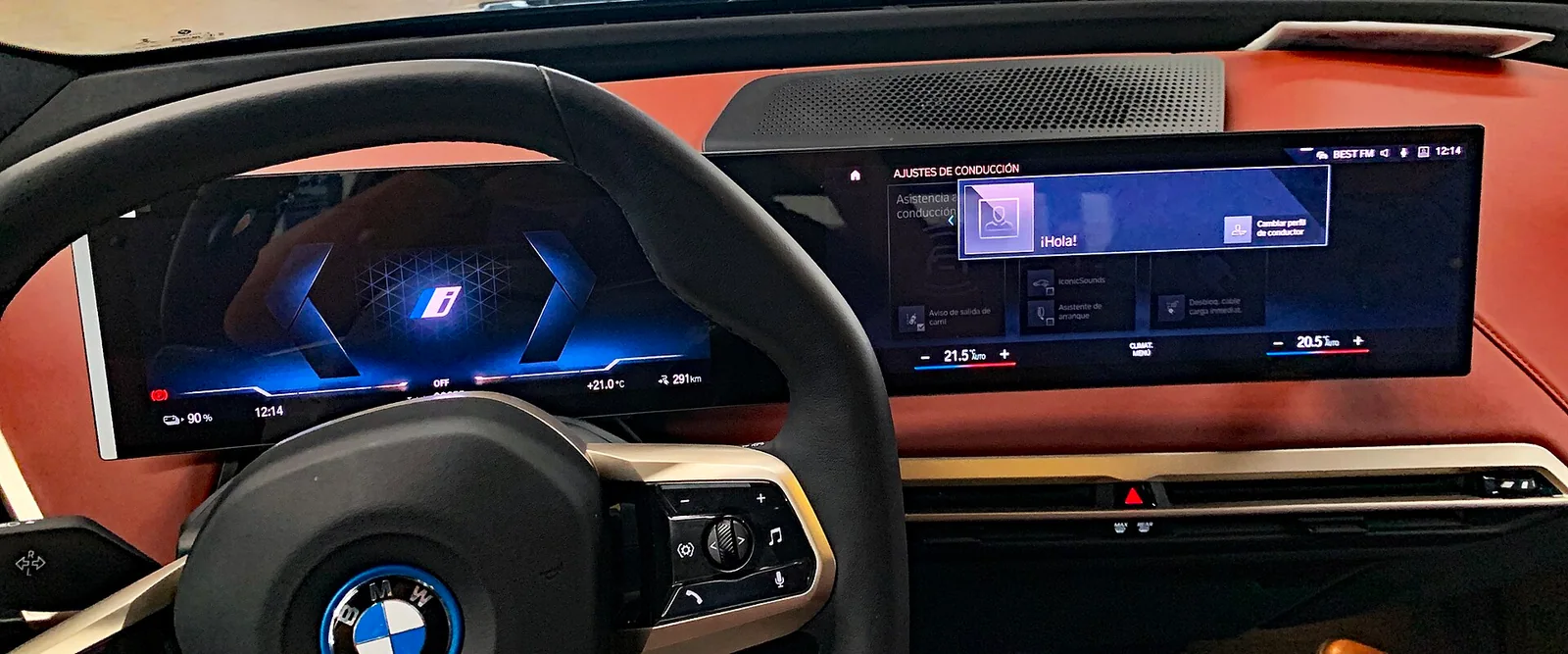
What matters
Do not buy a digital feature based only on a specification sheet or demonstration: identify the hardware, verify activation on that vehicle, and confirm the terms of use and transfer in writing.
What it really means for a car to be software-defined
The term software-defined vehicle, or SDV, describes a design direction in which software increasingly influences a car’s functions and user experience. Bosch explains this approach through greater separation between hardware and software and the possibility that a vehicle can evolve through updates during use. That does not mean every current car has the same architecture, or that any feature can be added after purchase.
For a buyer, the practical distinction is simple: an advertised capability may depend on installed components, compatible software and an active permission or service. An update can change software, but it does not prove that the car has a required sensor, electronic control unit or connection. The SDV label alone also guarantees no update schedule, indefinite support or specific capability. Check those terms for the relevant model, vehicle and market.
Separate hardware, software and the right to use a feature
When a feature matters to you, break it into three questions. First: what physical equipment does it require, and is that equipment installed in this particular car? Second: what software version controls it, and is that version available? Third: can it be used without further conditions, or does it depend on an account, subscription, purchase or connected service? One answer does not settle the other two.
For example, imagine two cars of the same model and year. One might have the required component and an activated feature; the other might lack that component or show the feature only as an available option. This is a hypothetical example, not a claim about a particular model. Ask the seller to identify what is included and request confirmation from the relevant service provider or manufacturer about activation and requirements. Do not infer inclusion merely because something appears on a screen, in an app or in a platform presentation.
How to assess an advertised feature on a specific car
Start by turning broad phrases such as intelligent features or advanced assistance into a list of specific capabilities you would actually use. Note what the car should do, in which circumstances you expect to use it, and what you could check in person. Then compare that list with the vehicle’s documentation and the written offer. A promotional video explains the possibilities of a product or system; it does not establish the equipment fitted to an individual vehicle.
During a viewing, ask for a demonstration if practical and observe whether the feature is active, requires a sign-in or displays setup or connectivity warnings. A demonstration alone does not prove that access will continue after sale. Also request the exact feature name, hardware requirements, installed version and continuity terms. If the car depends on a connected service, ask who can confirm that the service is available for this vehicle and its next owner. Put any answer that influenced the price or your decision in writing.
What to ask about updates and changes
Ask which updates this vehicle can receive, how updates are communicated and where you can check its history or change log. If documentation is available, look for a distinction between fixes, behavior changes and new features; do not assume every manufacturer describes modifications in the same level of detail. Bosch presents updates during use as part of the possible evolution of this type of architecture, not as a universal promise that every car will gain new capabilities.
Before relying on an update to meet a particular need, confirm whether it applies to this vehicle and whether it requires a visit, connection, account or other condition. Keep a record of the software version you saw and the documents provided. If something later behaves differently, that information helps you ask a precise question; it does not replace diagnosis by the manufacturer or a workshop. Do not treat a general update note as proof that a particular feature has been enabled in your car.
A used-car buying process for digital features
Before agreeing to buy, write a short list of digital features that are decisive for you and check each one on that particular vehicle. For every feature, record the equipment visible or documented, activation status, displayed version, account or connection requirements, and available evidence. If something cannot be demonstrated, mark it as unconfirmed, not included. This record helps prevent a sales description from being mistaken for a verified capability.
Ask the seller to explain how the account is transferred and who must complete each step; confirm the process with the relevant service provider. Also check what happens to features linked to the current owner and which may continue or change after transfer. If an issue is essential, request verifiable confirmation before committing. Do not pay extra for a feature when access, compatibility or continuity is unclear. Keep the offer, answers and observed version, and check that the final paperwork matches what was agreed.
Accounts, data and support: what not to assume
The previous owner’s phone is not proof that their permissions, services or settings will automatically pass to the buyer. Ask what steps each party must take, what data will be unlinked and what information may be retained or reset. The answer depends on the vehicle and service; consult the relevant instructions and terms instead of relying on an informal explanation. Do not request the seller’s personal credentials: transfer should follow the authorized process.
Also clarify what support is provided and who to contact if a connected feature becomes unavailable or its terms change. Do not assume a service, subscription or software version will continue indefinitely. If a purchase involves more than one market or intermediary, verify the contractual seller and payment beneficiary before making a reservation. Autohaus Zephyr provides a sourcing and intermediation service: the seller’s and beneficiary’s identities must be confirmed before any reservation or payment, not afterwards.
Software’s limits and useful next steps
Software may extend or change what a vehicle does within the limits of its hardware, but it does not automatically turn every advertised possibility into an available feature. Nor is software alone enough to assess a vehicle’s mechanical condition, safety or suitability for your needs. Digital activation and physical condition are separate matters; a screen displaying an option does not certify that a system works or replace an appropriate inspection.
As a next step, choose three important features and request, for each one, a demonstration on the vehicle, equipment documentation and confirmation of access and transfer terms. If one of those pieces is missing, ask for clarification before completing the transaction or decide whether you would accept the car without that feature. Keep the information for the next owner and verify it again when an account or service changes. The best comparison is not between platform names, but between what each specific car has, what you can use and what is confirmed to remain available.
Questions answered
Can an update add any feature to a car?
No. It may change software, but a feature can also require hardware, compatibility, activation or a service. Confirm the requirements for that vehicle.
Do digital features automatically transfer to the buyer of a used car?
Do not assume so. Check with the provider which accounts, permissions and services can transfer and what steps each party must complete.
Does the SDV label guarantee future updates?
No. It describes an architectural direction, not a promise of a schedule or support for every vehicle. Check the terms for the specific model and car.
With a software-defined car, the physical specification matters, but it may not tell the whole story. Before buying, identify the hardware fitted, which features are active and what terms govern their use and transfer. Treat anything unconfirmed as an unknown, not as an included capability.
Sources & editorial policy
Written by Autohaus Zephyr from the linked sources. Manufacturer figures are attributed claims, not our own tests. The practical comparisons and clearly identified examples are editorial analysis. Market availability and specifications require confirmation for the exact car.
Corrections: info@autohauszephyr.ch
How we work →Keep reading
- Modern diagnostics: connecting a scan tool no longer guarantees full access
- Euro NCAP and assisted driving: how to interpret the rating before you buy
- BMW iX3 Neue Klasse: what changes beyond range